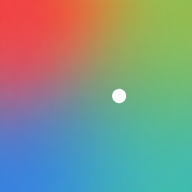
Mood
A quiet record of how you feel. Tap a color, log a note, watch patterns emerge day by day.
Open Mood - free, no account required to start.
Mood uses a two-dimensional mood space: one axis for how pleasant or difficult you feel, another for how calm or energized you are. Each log becomes a colored pixel in your personal heatmap.
What you can do
- Log moods throughout the day, with optional notes
- Browse your history in a scrollable color grid
- Track trends and streaks over time
- (Optional) Enable reminders, astrology, Human Design, habit checks, or AI chat
Getting started
No account needed. Open the app, tap How do you feel?, and drag to your mood. That's it.
On mobile, swipe left and right to move between pages. On desktop, use the sidebar or scroll wheel.
An account unlocks cloud sync, cross-device access, and optional features:
| Feature | Requires |
|---|---|
| Cloud sync | Account |
| Push reminders | Account |
| Astrology (Cosmos) | Account + birth data |
| Human Design (Bodygraph) | Account + birth data |
| Habit tracking (Checks) | Account |
| Chat with AI | Account |
Documentation
- Logging a mood: the heatmap, picker, and entry detail
- Stats: trends, streaks, and day-of-week patterns
- Checks: habit tracking (signed in)
- Cosmos: astrology panel (signed in)
- Bodygraph: Human Design chart + mood (signed in)
- Account & sync: sign in, sync status
- Reminders: push notification scheduling
- Theme: light, dark, and system modes
- Chat with AI: read-only AI access to your mood data
- Data deletion: erase everything, everywhere
- Install: add to home screen, offline use, shortcuts
- About: contact, force refresh, version