
Checks
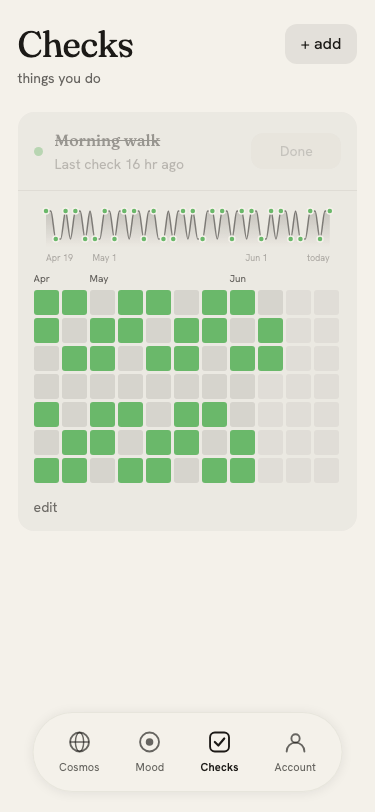
Checks are named habits you can log alongside your moods. Track whether you exercised, journaled, meditated, or anything else. Then see whether those habits correlate with better days.
Requires: signed in, checks enabled.
To enable: go to Account → Checks and toggle it on. A Checks tab appears in the navigation.
Creating a check
On the Checks page, tap New check to create a habit. Give it a name and pick a color. You can also choose whether it is:
- Once per day: logged as done or not done for the day
- Multiple per day: logged as many times as you want, with the count shown as intensity
Logging a check
Tap the check's button to log it for today. The cell fills in immediately.
To log for a past day, tap that day's cell in the check's heatmap. A sheet opens letting you confirm or adjust the time.
Heatmap
Each check shows its own heatmap below its name, using the same grid format as the mood heatmap but colored with the check's chosen color. Darker cells indicate more completions that day (for multi-per-day checks).
Correlation with mood
On the Stats page, you can see whether your mood was measurably different on days you completed a check. A bar chart compares average mood tone on "check days" vs "non-check days" for each habit, making it easy to spot which habits seem to help.