
Reminders
Push reminders nudge you to log a mood throughout the day, so your record stays consistent.
Reminders are per-device: each device you use subscribes independently. This means you can have reminders on your phone but not on your laptop, or configure different schedules on each.
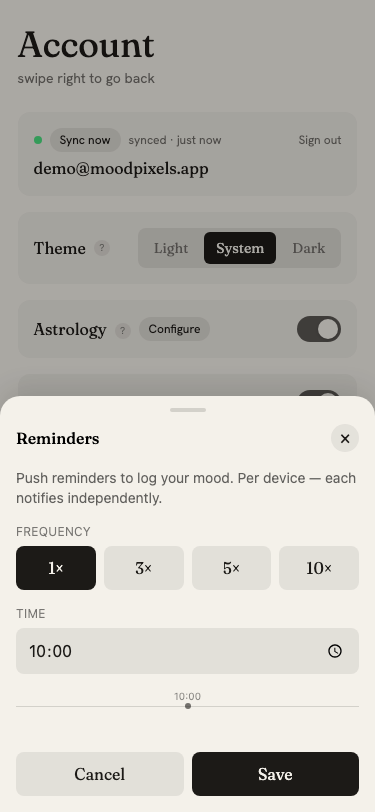
Enabling reminders
In the Account page, tap the toggle next to Reminders. The browser will ask for notification permission. You must grant it for reminders to work.
If permission was previously denied, the section shows a message with instructions to re-enable it in your browser settings.
Frequency
Choose how many reminders you want per day:
- 1×: one reminder at your chosen time
- 3×: three reminders spread across your window
- 5×: five reminders
- 10×: ten reminders spread evenly
Time window
Set a start time and end time. Reminders are distributed evenly between these two times. For example, 3× daily between 9 AM and 9 PM sends reminders at 9 AM, 3 PM, and 9 PM.
A timeline graphic below the controls shows the exact scheduled times.
Saving changes
After adjusting frequency or time window, tap Save. The button briefly shows Saved to confirm. Changes take effect on the next reminder cycle.
Disabling reminders
Tap the toggle again to turn reminders off for this device. The push subscription is removed immediately.