
Account & sync
Signing in
No account is required to use Mood. An account enables cloud backup, cross-device sync, and optional features.
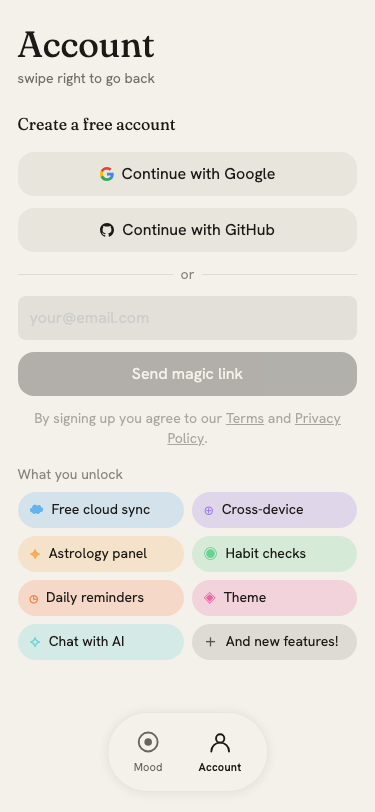
Sign-in options
- Google or GitHub: one tap, no password
- Magic link: enter your email and receive a 6-digit code; enter it in the app to sign in
The code expires after a short window. If it fails, tap Done and request a new one (a 60-second cooldown applies between sends).
Sync status
Once signed in, the account page shows your sync status:
- Green dot: online and synced
- Orange dot: offline or sync pending
- Sync now button: trigger an immediate sync; disabled while offline
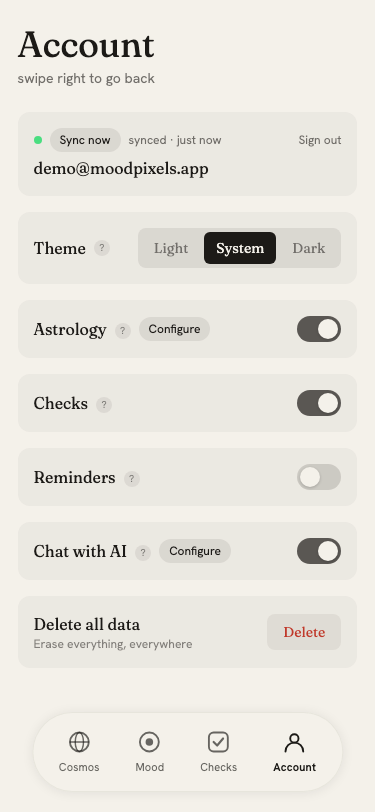
Mood is local-first: your entries are saved to this device immediately and synced to the cloud in the background. Entries deleted on one device are propagated to all others via soft-delete records.
Signing out
Tap Sign out and confirm in the dialog. Signing out clears the pending sync queue from this device but does not delete your data from the cloud.
Other settings
See the dedicated pages for each setting:
- Reminders: push notification scheduling
- Theme: light, dark, and system modes
- Chat with AI: read-only AI access to your mood data
- Data deletion: erase everything, everywhere