
Data deletion
Warning: This action is permanent and cannot be undone.
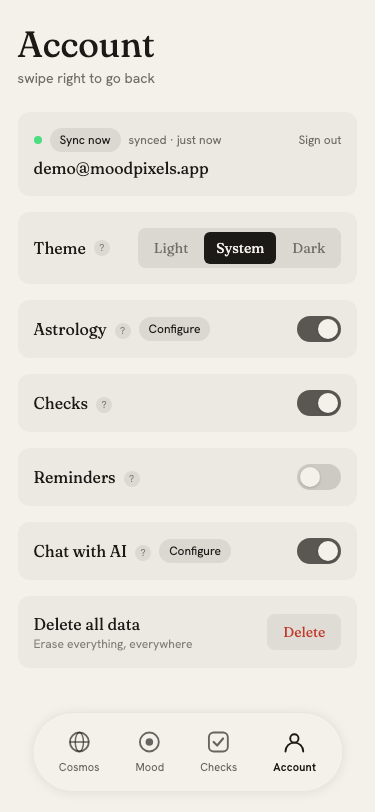
The Delete all data option in the Account page erases everything associated with your account, on this device and in the cloud.
What gets deleted
- Every mood entry, across all devices
- All habit check definitions and their logs
- Push notification subscriptions (reminders stop on all devices)
- AI access tokens
- Your birth data and astrology settings
- Your account itself
How to delete
- Tap the red Delete button in the Account page
- A confirmation dialog explains what will be erased
- Type your email address to confirm you intend to proceed
- Tap Delete to execute
The dialog cannot be submitted until the email matches your account's email exactly.
After deletion
You are signed out immediately. Local data on this device is cleared. Data on other devices is cleared the next time they connect to the cloud.
If you want to start fresh without deleting your account, use the clear button on the home screen instead; it removes local entries only and does not affect the cloud.